








































Overview
Database Management is where you operate the databases provisioned through KubeDB Platform after they’ve been created. It brings the day-2 operational tasks — scaling, backup, restore, version upgrades, reconfiguration, TLS, monitoring, and more — into a single, per-database console so you don’t need to reach for kubectl or hand-craft custom resources for routine work.
Target Audience: This guide is intended for database administrators and operators responsible for the ongoing health, availability, and data protection of databases running on KubeDB Platform.
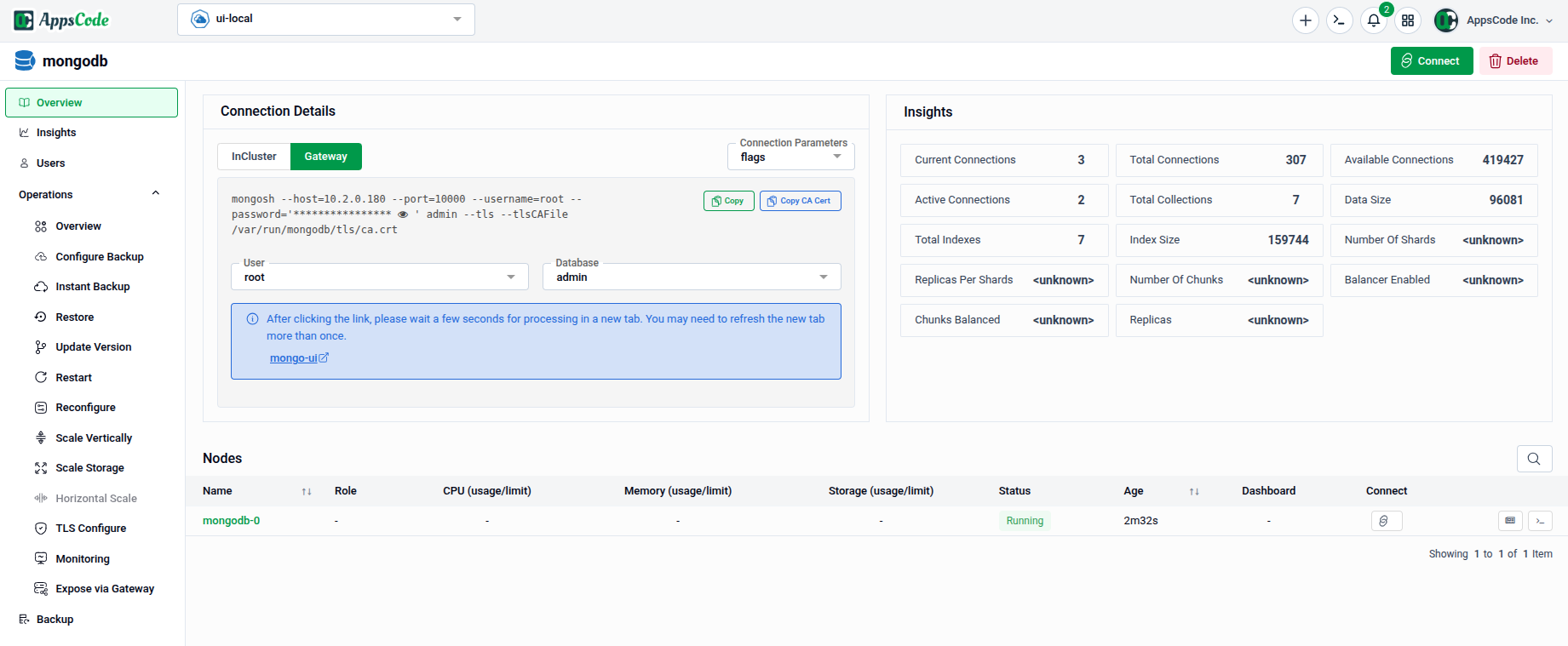
Key Sections
- Database Usage & Insights: Monitor resource consumption and get at-a-glance health information for a database.
- Scaling Databases / Scaling Storages: Adjust CPU, memory, replica count, or storage size — manually or through autoscaling policies.
- Configure Backups, Instant Backup & Restore, Backup Restore: Set up scheduled backups, trigger on-demand backups, and restore data when needed.
- Upgrade Database Version, Database Restarts, Reconfigure Databases: Perform version upgrades, restarts, and configuration changes with minimal disruption.
- Configure TLS, Configure Monitoring, Expose via Gateway: Secure connections, enable Prometheus-based monitoring, and expose databases outside the cluster.
- Manage Recommendations, Database Security Report, Database Constraint Violations: Review platform-generated recommendations and compliance findings for a database.
- Delete Database: Safely remove a database and its associated resources.
Each operation is exposed as a dedicated form or panel in the left sidebar of a database’s detail page. Under the hood, most actions are translated into Kubernetes OpsRequest custom resources, so every change is applied declaratively and can be tracked through its lifecycle — giving you the convenience of a UI with the auditability of GitOps-style operations.